
Observability
GitHub Actions runner observability and monitoring information
WarpBuild collects telemetry data to display metrics and logs for your runners. This page provides information about the observability collection process and port usage.
Observability data is shown on two pages under Insights in the WarpBuild sidebar:
- Recommendations: View runner instance right-sizing recommendations based on resource utilization patterns.
- Usage: View detailed metrics and logs for individual runner instances.
Recommendations
The Recommendations page helps you optimize your runner configurations by listing jobs that could run faster or cheaper on a different runner, and identifying resource bottlenecks.
Job Recommendations
Each row in the table is one job, with its repository and workflow shown under the job name. You can search jobs and filter by Repository and Workflow.
For each job, the table shows:
- Suggestion: The current runner label and the suggested runner label, with the peak usage that led to the suggestion. To apply a suggestion, change
runs-onin the workflow file. - Runs: Number of runs of the job
- CPU p90 and Memory p90: 90th percentile CPU and memory usage across the job's runs
Performance Summaries
Expand a job to see its past runs. For each run, the runner, the start time, and the following performance metrics are displayed:
- CPU: Maximum rolling average CPU usage percentage over last 30s
- Memory: Maximum memory usage percentage
- Disk: Maximum storage usage percentage
- Disk I/O: Maximum rolling average of read+write disk throughput over last 30s
- Network: Maximum rolling average of read+write network throughput over last 30s
Each run links to its GitHub Actions job run and to its Metrics on the Usage page.
Resource Thresholds
The Recommendations page highlights runs that cross predefined resource thresholds. This helps you quickly identify runners that are under-provisioned (that have consistently high resource utilization) or over-provisioned (that have low resource utilization). In the past runs table, CPU, memory, and disk values at or above 80% are highlighted as high, and values below 25% are highlighted as low.
Thresholds for the under-provisioned recommendation:
| Metric | Threshold |
|---|---|
| Max Sustained CPU | >= 80% |
| Max Memory Utilization | >= 80% |
| Max Filesystem Utilization | >= 80% |
| Max Disk I/O | >= 80% of supported throughput |
Use these insights to right-size your runner instance configurations for optimal cost and performance.
Usage
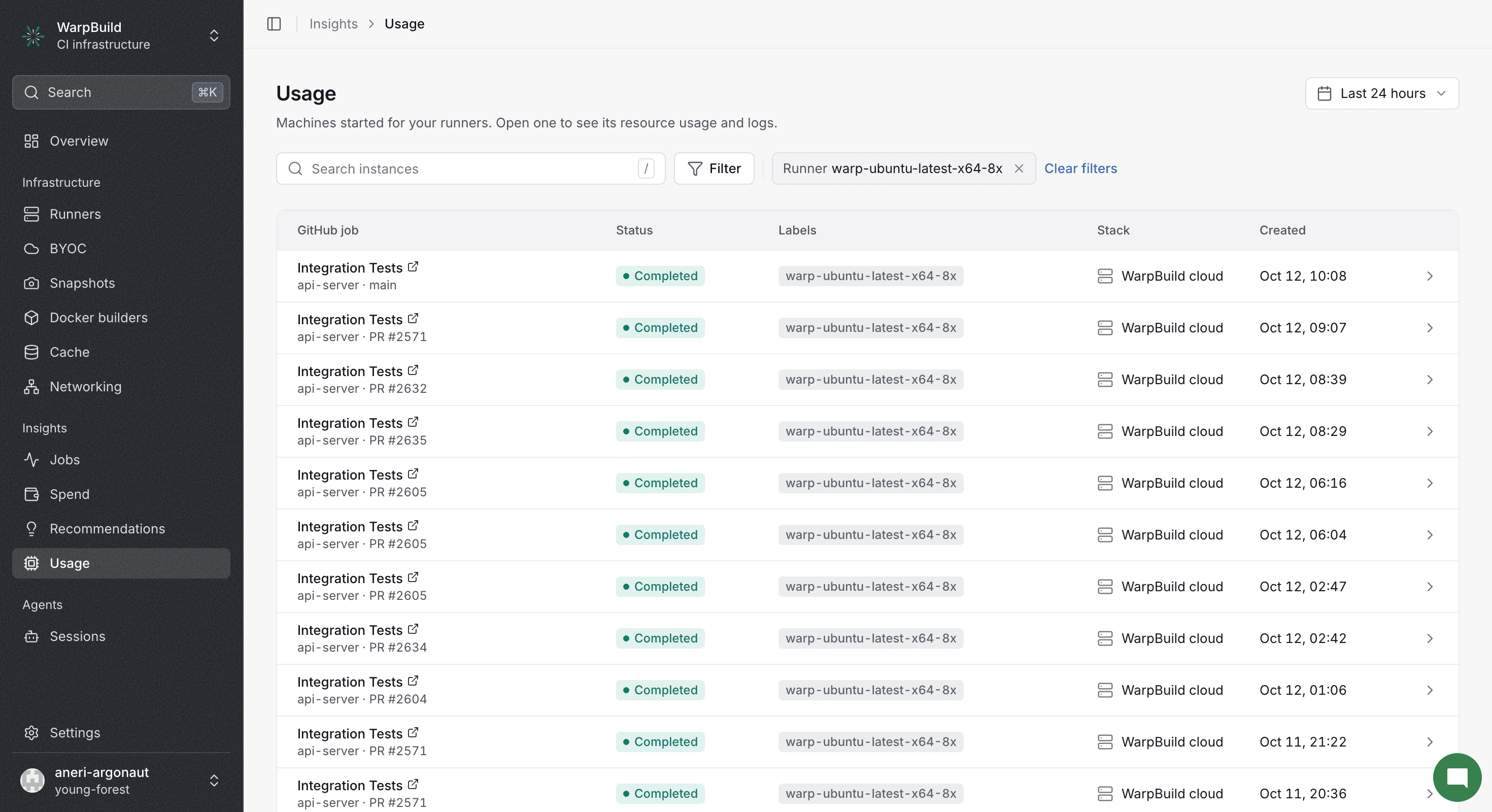
The Usage page lists the runner instances started for your runners. You can search instances, pick a date range, and filter by Runner and Status, and by Stack when you use BYOC. Open an instance to see its Resource utilization chart and Instance logs.
Observability Collection
WarpBuild agents running on your runners collect the following observability data:
- CPU, memory, filesystem, and network utilization metrics. This helps with understanding resource bottlenecks on the runner.
- System logs for capturing WarpBuild and other service behaviors, useful for debugging runner issues.
- GitHub Actions logs to help correlate workflow execution with system metrics and logs in the UI.
The collected logs and metrics can be viewed in the WarpBuild UI's Usage page.
Pausing Observability
Observability data collection can be paused. When paused, no telemetry data is collected from your runners, including system logs, and GitHub Actions logs.
For pooled instances, you may see observability data appear in the UI before a job is allocated to the instance. This is expected behavior when data collection is paused - the telemetry agent initializes but no actual data is collected until job allocation.
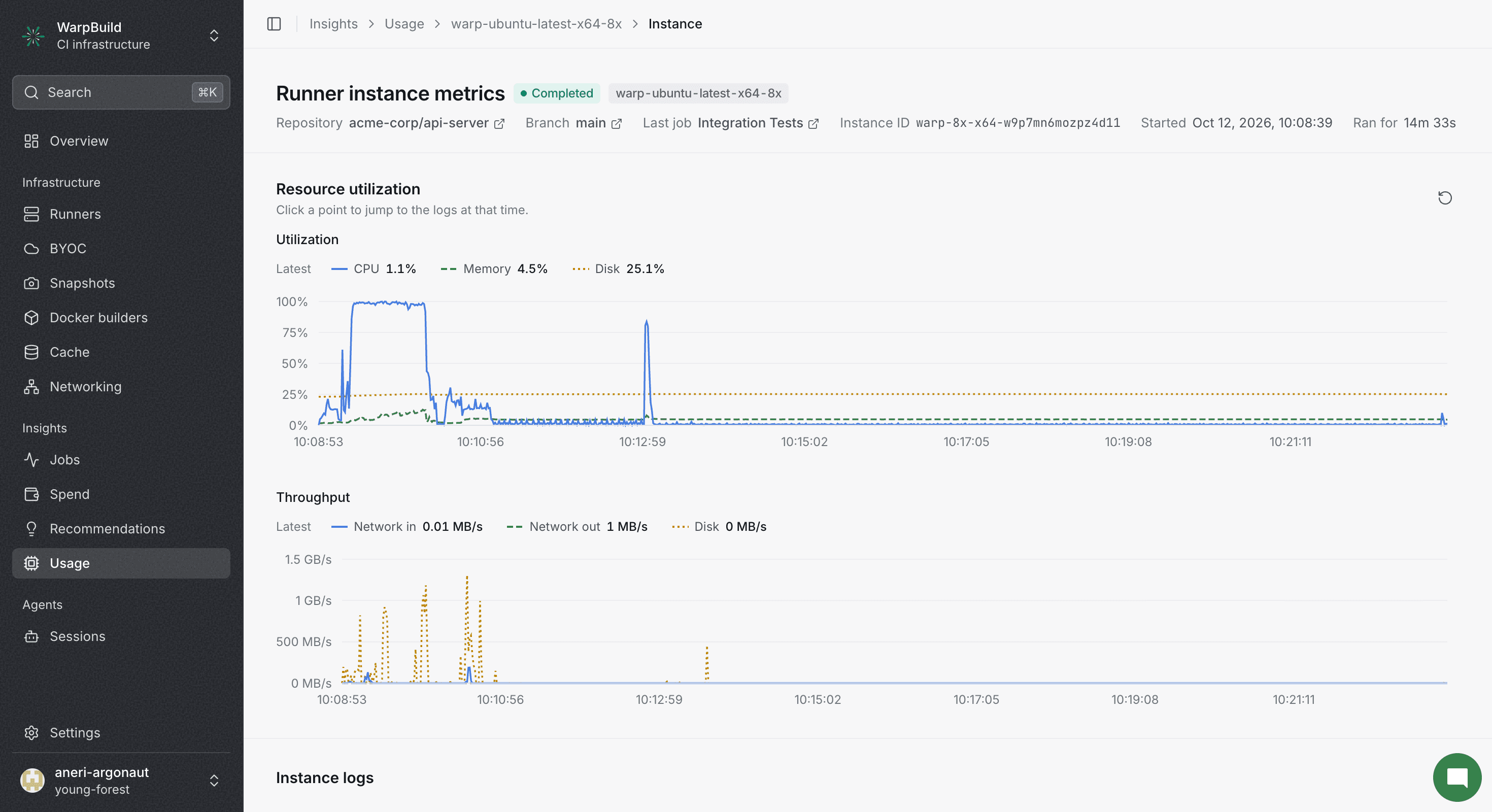 The chart displays info about the resource utilization on your runner instance.
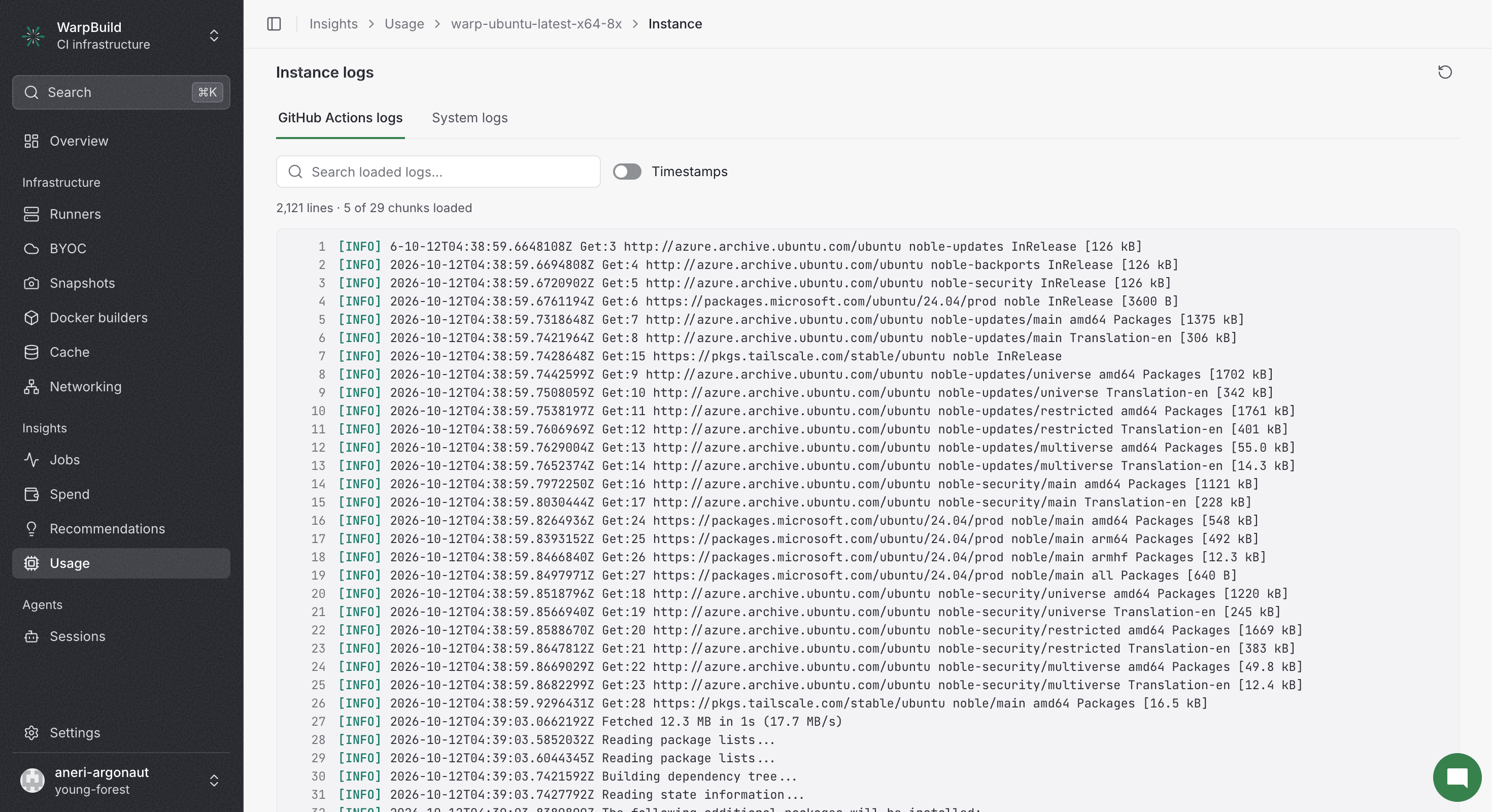
The logs view shows both system logs (syslogs) from your runner and GitHub Actions logs, making it easier to correlate workflow execution with system behavior.
Observability only collects metrics and logs for jobs that are longer than ~1 minute.
Exporting to Your Own Backend
Now, you can additionally send this telemetry to your OTLP backend as well. Storing in WarpBuild and exporting to your own backend are independent settings. You can enable one independently of the other. The collector on the runner fans the data out to both destinations independently, so turning off WarpBuild storage does not reduce or delay what your own backend receives.
Getting Started
Open Telemetry export in Settings. The two destinations, WarpBuild Observability and Your OTLP backend, are independent, and can be enabled/disabled individually.
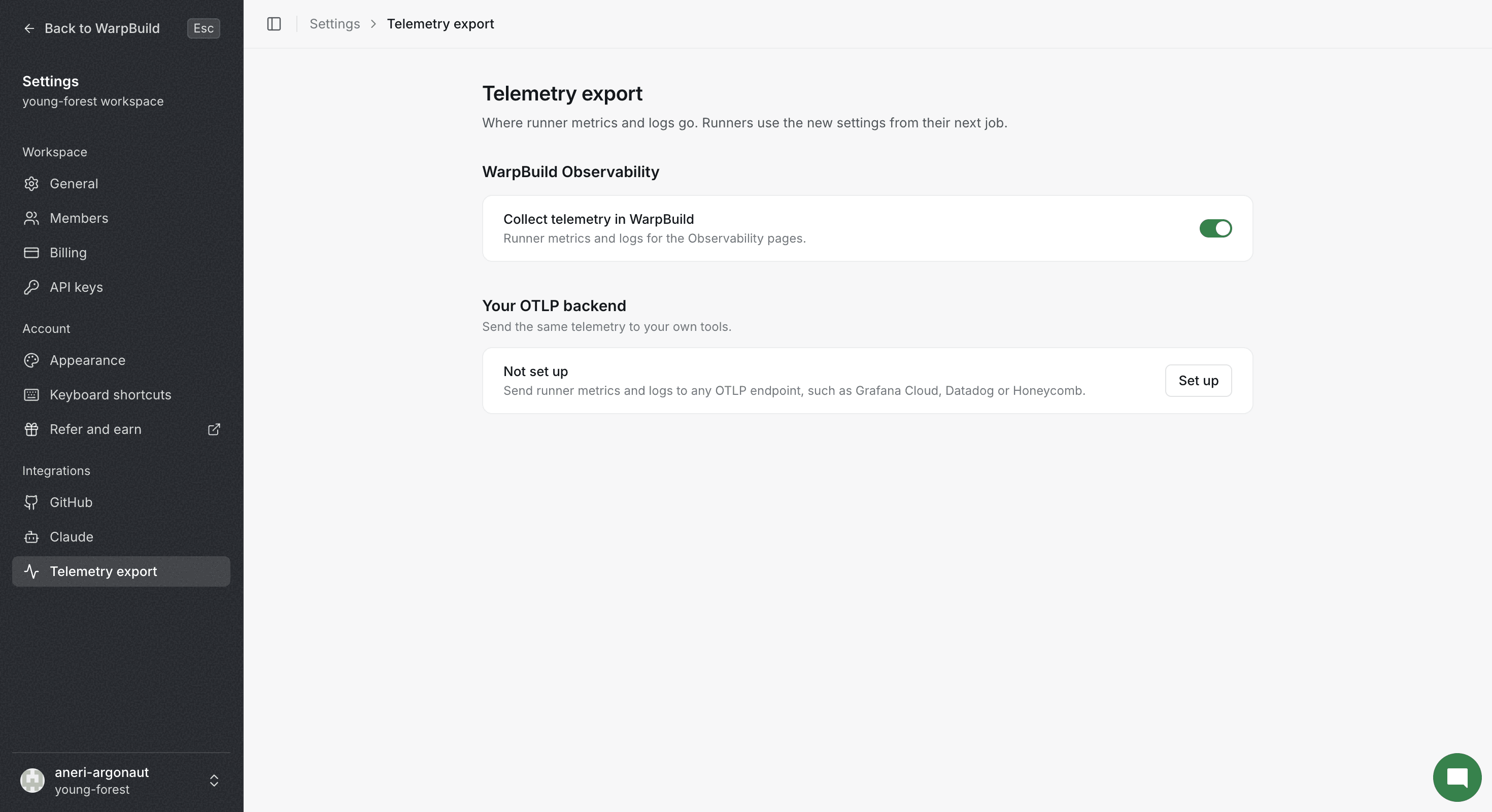
Under Your OTLP backend, click Set up. The export form opens.
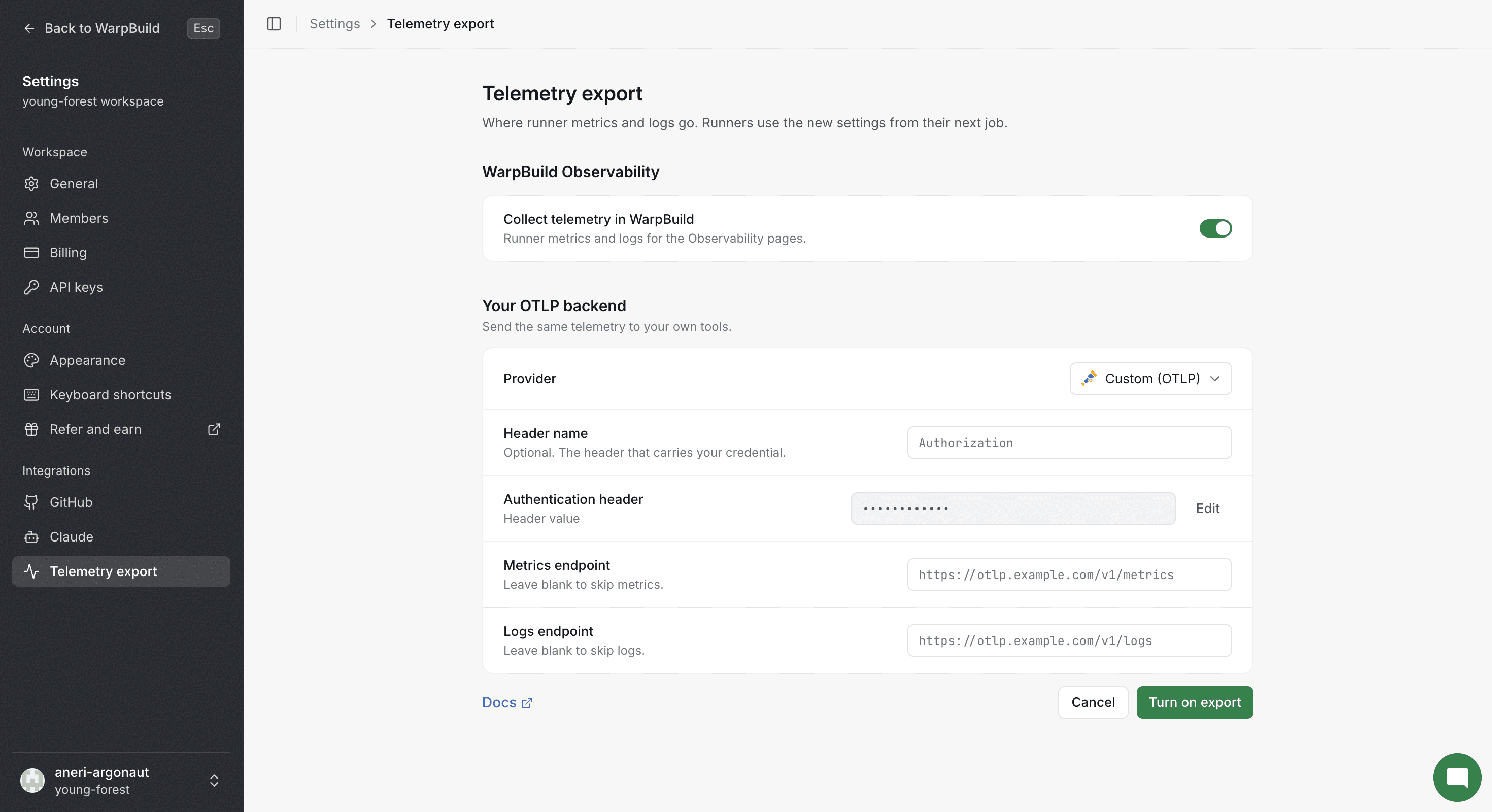
Now pick your provider, and fill in the details, including your ingestion key. Your ingestion key is encrypted at rest on our side and is never written into the collector's configuration file on the runner. It is passed to the collector process through the environment and referenced indirectly, so it does not sit on disk in a VM your CI jobs share.
There are presets for popular providers; Datadog and Honeycomb use an API key, Grafana Cloud pairs an instance ID with an API token, Axiom pairs an API token with a metrics dataset and a logs dataset, New Relic uses a license key, Dynatrace, Elastic use API tokens etc. Custom (OTLP) leaves the endpoints, header name and value to you.
Finally, press Turn on export, then Test. When you edit an existing export later, press Save before Test. Test sends a small OTLP payload from WarpBuild's backend to your endpoint and to check e2e connectivity.
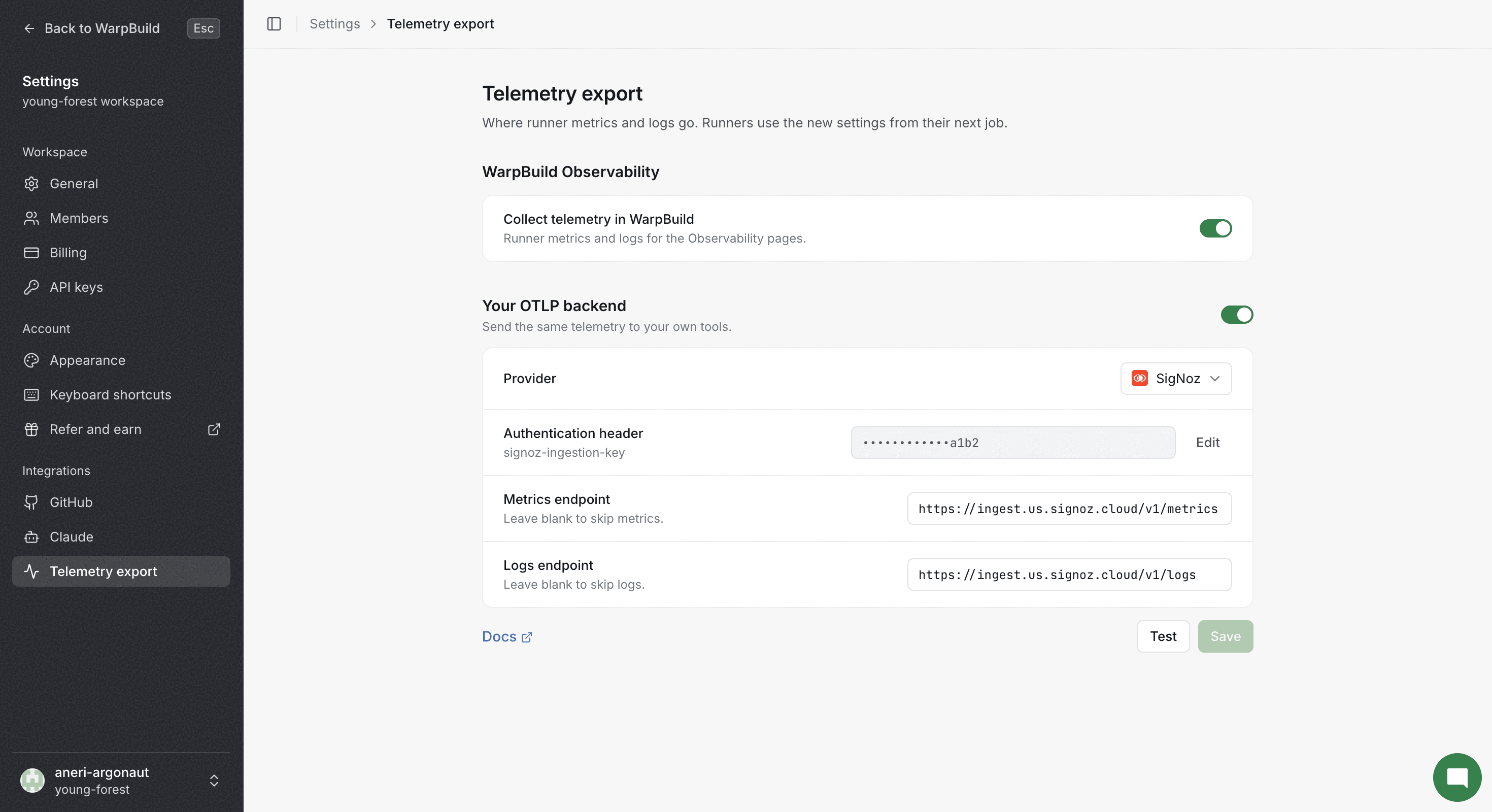
Runners pick up the change on their next job. Runners already mid-job are unaffected.
Port Usage
WarpBuild observability uses port 33931 for data collection and communication with the WarpBuild platform and uses OpenTelemetry for data collection.
Data Privacy
WarpBuild observability collection follows our privacy and security policies:
- No sensitive data is collected through telemetry. We only collect syslogs and utilization metrics of the runner like CPU, memory, filesystem and network.
- All observability data is encrypted in transit.
- No data is used for training or any other purpose beyond providing observability insights for your runners.
If you have any queries regarding the observability, please reach out at [email protected].
Last updated on